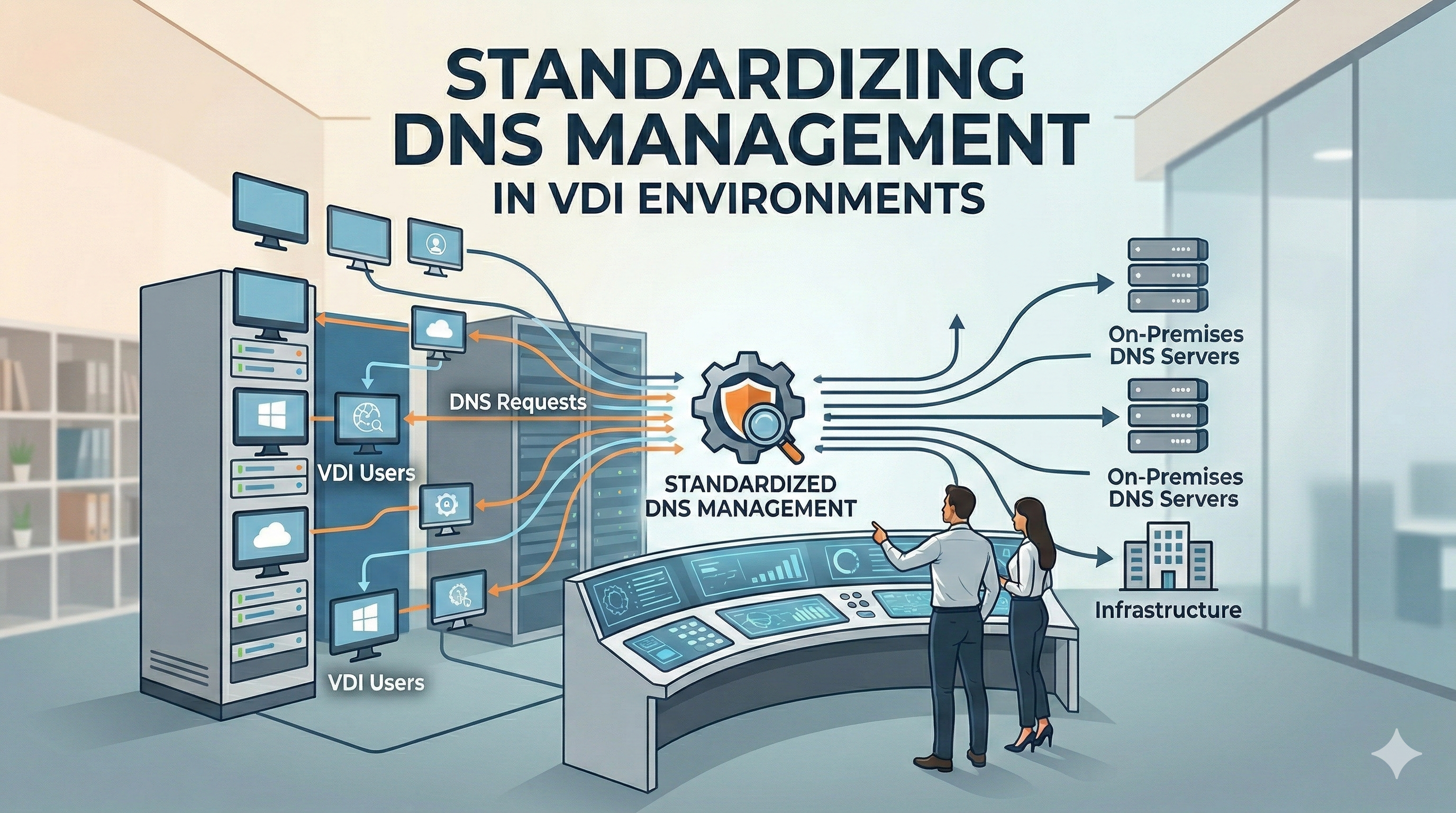
Maintaining a clean DNS in a non-persistent VDI environment (like VMware Horizon) can be challenging. When VMs are frequently destroyed and recreated, “ghost” records and permission conflicts often lead to connectivity issues. Here is how we restructured our infrastructure to ensure a stable and self-cleaning DNS.
1. The Service Account Approach (Single Point of Truth)
By default, Windows clients attempt to register their own DNS records. In a VDI pool, this leads to ownership conflicts when a new VM tries to claim a record previously owned by a deleted machine.
- The Solution: We introduced a dedicated service account,
service_dhcp_dns. - The Logic: Instead of the VMs, the DHCP server now acts as the sole authority for all DNS registrations using these specific credentials.
2. DNS Zone Permissions Refactoring
To allow the service account to manage records, we updated the security settings on both Forward and Reverse Lookup Zones:
- Permissions: The
service_dhcp_dnsaccount was granted Full Control** at the zone level. - Result: This resolves the common Error 9005 (DNS operation refused), as the DHCP server now has the legal authority to overwrite or delete any existing record regardless of its previous owner.
3. DHCP Scope Optimization
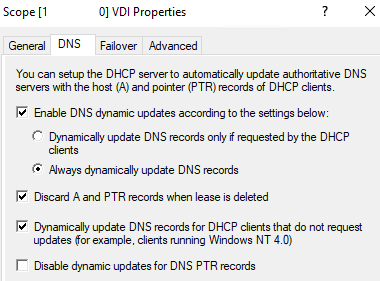
We reconfigured the DHCP Scope properties to centralize name management and prevent stale data:
- Always Dynamically Update: The DHCP server is forced to update both A and PTR records immediately upon lease assignment, without waiting for a client request.
- Discard Records on Expiry: When a VDI session ends and the lease is deleted or expires, the DHCP server automatically scrubs the DNS record.
- PTR Record Enforcement: We enabled the option to update DNS for clients that do not explicitly request it, ensuring that Reverse Lookup zones remain accurate.
4. Implementation & Maintenance Strategy
Once the service account and permissions are set, the transition requires a specific operational sequence:
- Initial Cleanup: Manually purge all old DNS records (both A and PTR) to remove legacy ownership metadata.
- Pool Recompose: Trigger a recompose of the VDI pools to allow new VMs to register correctly through the DHCP server.
- Active Sessions Caution: Do not delete records for VMs with active user sessions. Wait for users to log off or for the scheduled maintenance window to avoid immediate connectivity drops.
- Lease Time: We increased the lease duration to 12 hours to ensure stability throughout a standard work shift.
Conclusion: Why it works
By moving from “Client-owned” to “Service-owned” DNS records, we eliminated the primary cause of duplicate records and resolution failures. The system is now fully automated and self-healing: every morning, the VDI pool starts with a clean slate, and every evening, the DHCP server ensures no leftovers remain in the DNS database.